Company
Ramp Network
Industry
Crypto fintech
Consumer Design System
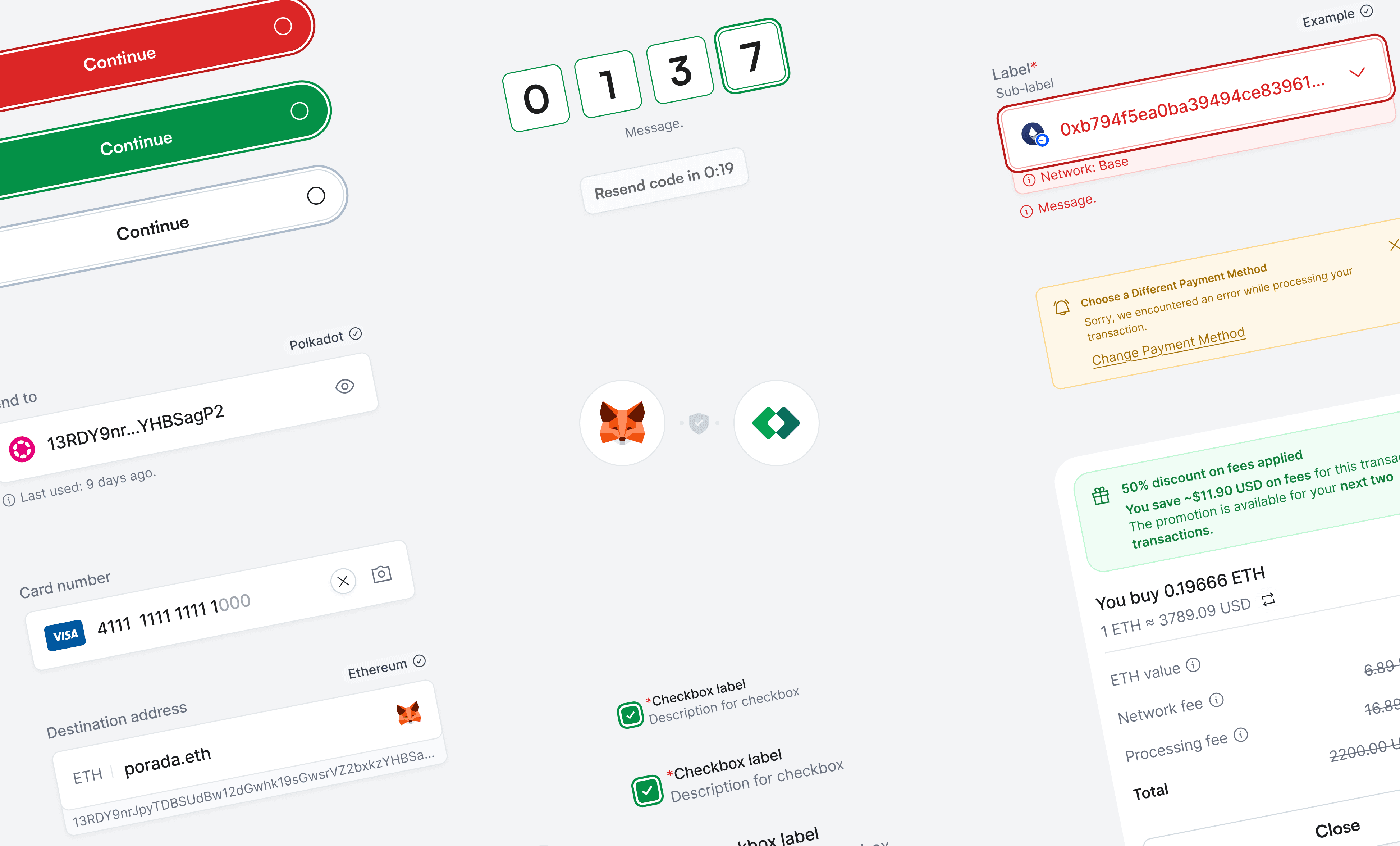
Building the Foundation That Scales
When I joined Ramp's design team, there was no design system — just scattered components across disconnected Figma files with no code equivalent. Developers rebuilt UI elements from scratch for every feature. I initiated and co-created a comprehensive design system with 45+ components, a standardized handoff process, and a weekly engineering review cadence that transformed how the entire product team works. This design system now powers the widget, mobile app, and the wallet.
Context & Problem
The pain was universal: designers were inconsistent across files, developers had no source of truth, handoffs were ad-hoc and error-prone, and every new feature required building UI from scratch. This created compounding slowdowns — the more features shipped, the more inconsistency grew, and the harder it became to maintain quality across surfaces. Product all needed to share a visual language, but there was no mechanism for that to happen.
Strategy
I didn't start by proposing a design system. I started by building a UI kit that solved my immediate problem (Widget 2.0 screens). Once the design team saw the value, I used that momentum to secure broader buy-in. The first critical decision was finding the right engineering partner. I sought out an experienced developer (Daniel Dutka) who shared the conviction that a design system was necessary, and together we established the foundational constraints: Framework choice: React + HeroUI (a Tailwind-based component library) as the base, giving us a production-ready foundation without reinventing the wheel. Naming conventions: We followed HeroUI's naming patterns with our own extensions — consistency with the ecosystem mattered more than originality. Design token structure: Defined collaboratively to ensure Figma tokens and code tokens stayed aligned. Handoff checklist: A checkbox-based specification of what every Figma component must include before being considered "ready for development" — properties, states, variants, responsive behavior.
The Weekly Cadence
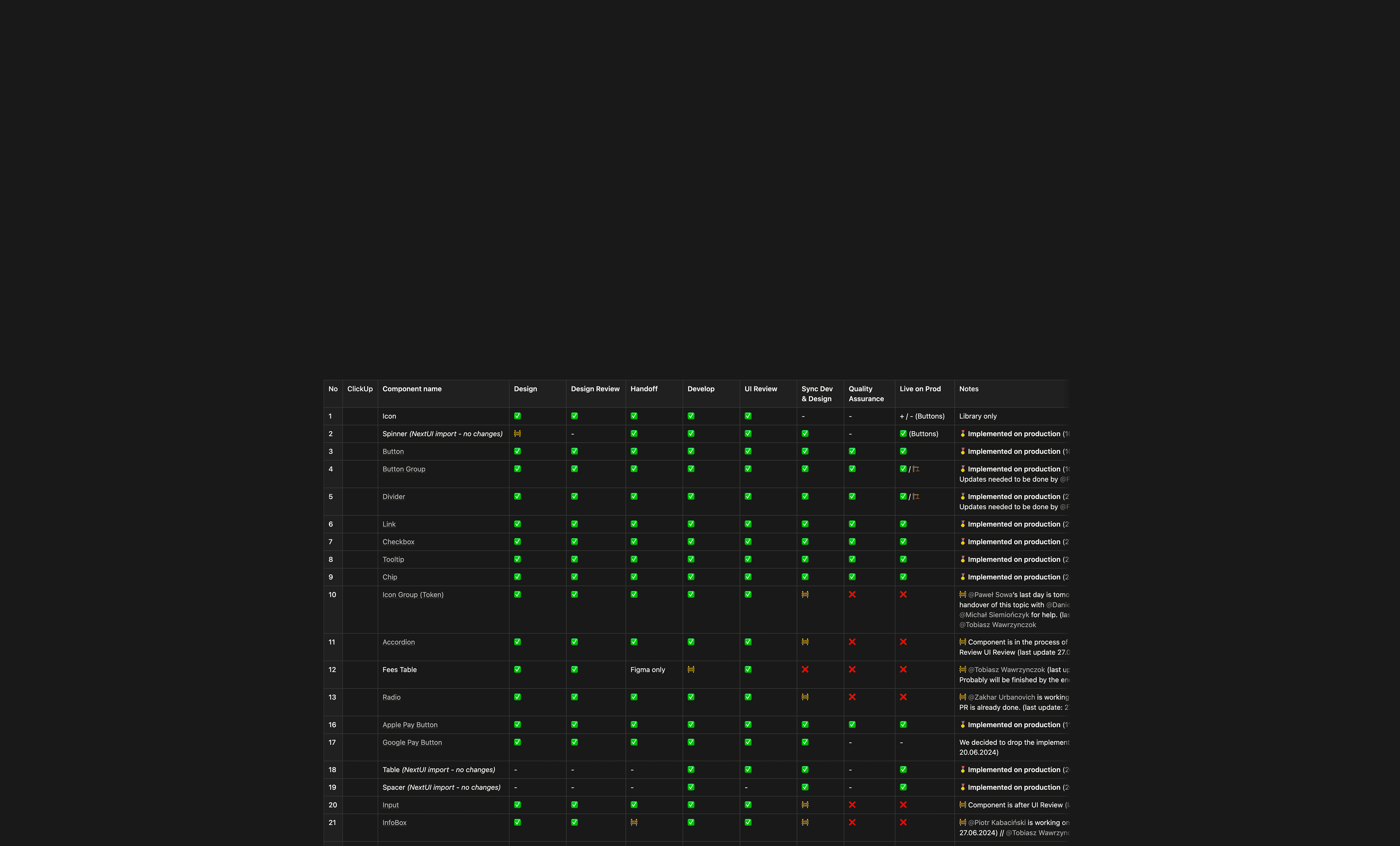
The weekly cadence was what made it stick. Every week, I met with 10+ developers to review components that had been implemented (QA against Figma specs), discuss the next batch of components to be built, resolve implementation questions in real-time, and share progress on the component board (a shared tracker listing every needed component and its status).
Design moved faster than development, so I prioritized component creation based on what the Widget 2.0 screens needed most urgently. This created a natural pipeline: I designed the new widget screens using new components, and developers simultaneously built those components and reconstructed the frontend. We called this the "Front-end Rework" — it was a parallel workstream where design system creation and product redesign happened simultaneously.
Theming, Tokens & Figma-to-Code
The theming layer was a strategic decision with long-term impact. By implementing design tokens properly, customization became nearly unlimited — partners could theme the widget significantly without breaking the design language. This opened opportunities that wouldn't have been possible with a rigid system.
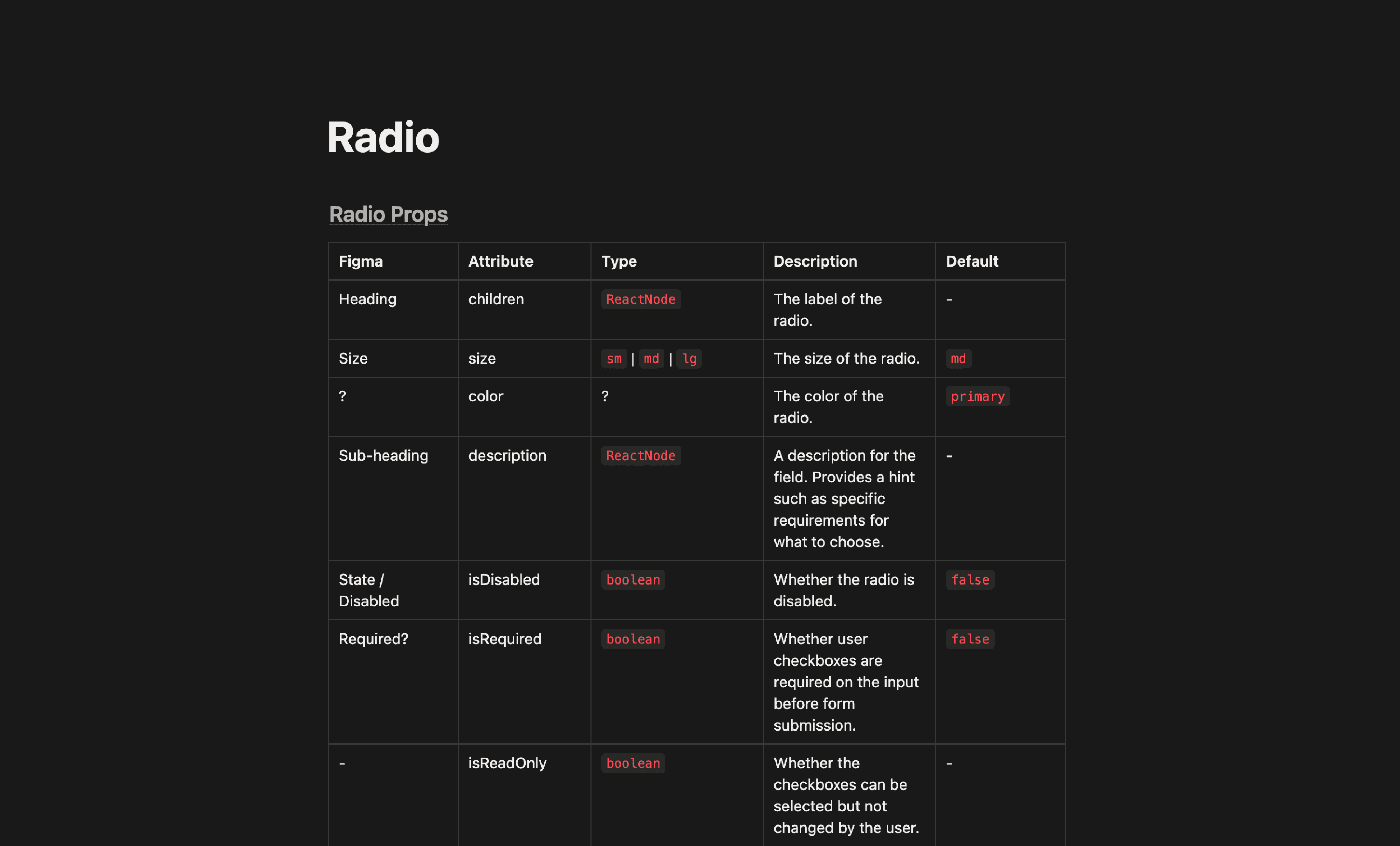
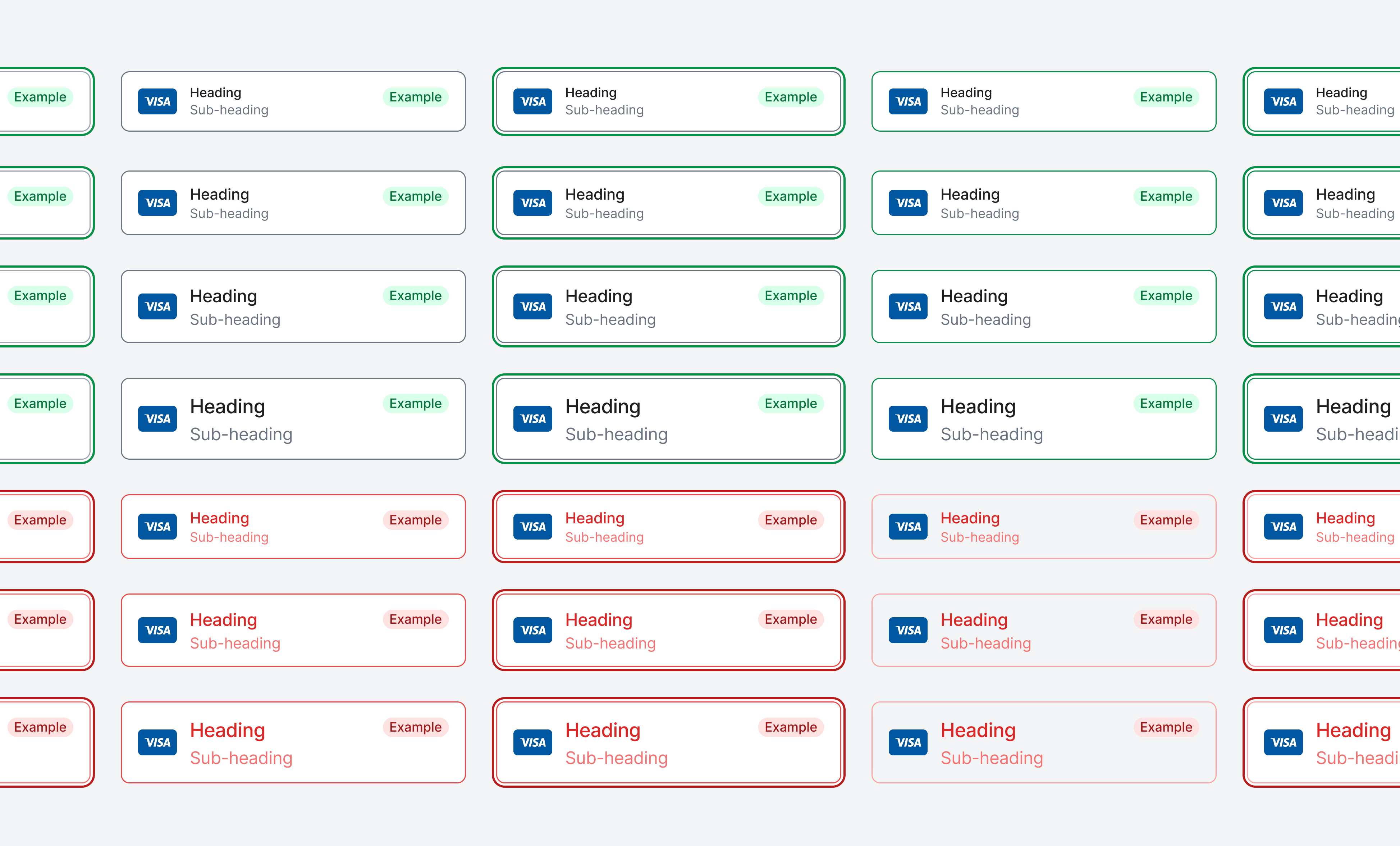
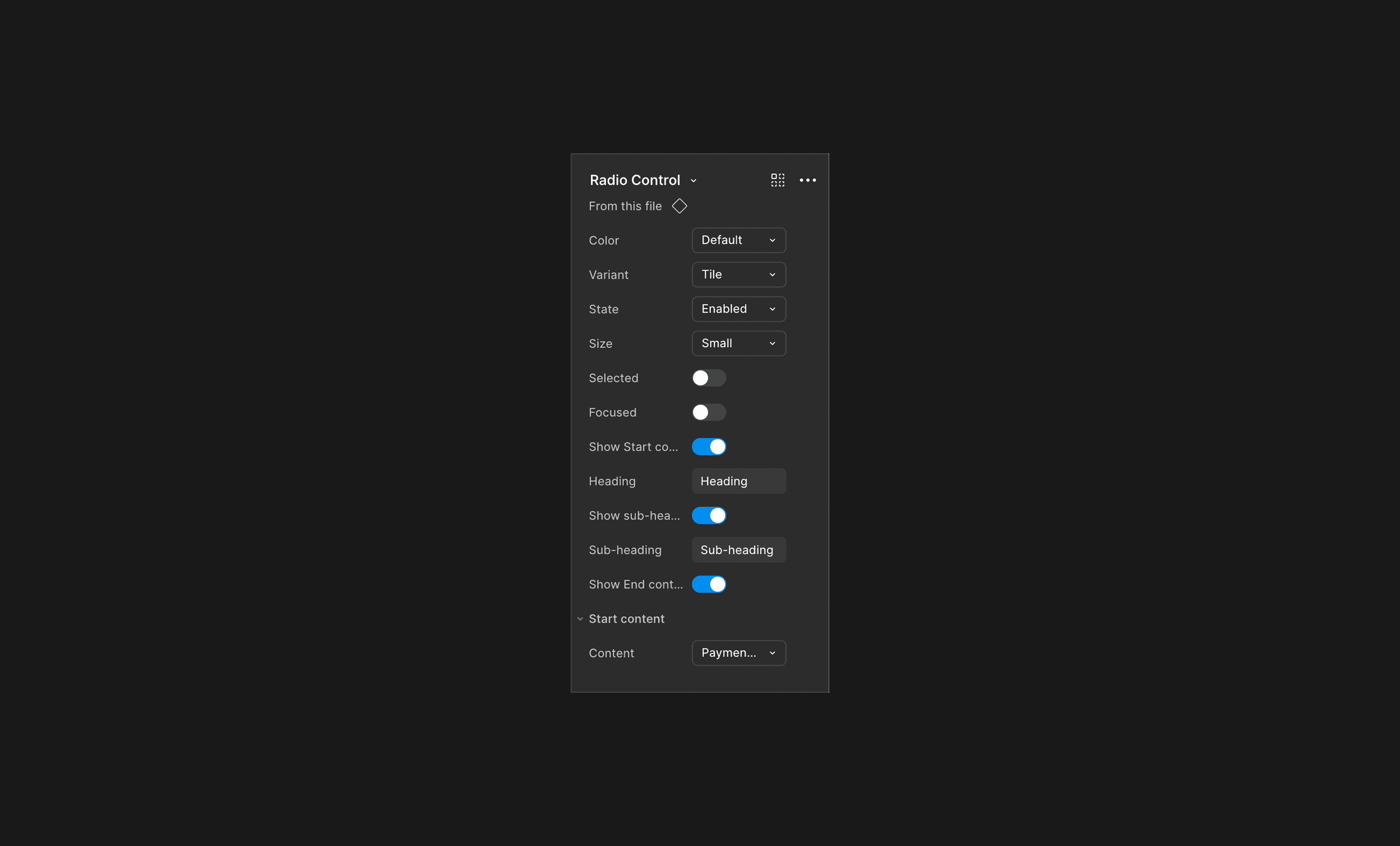
For the Figma-to-code relationship, we didn't aim for perfect 1:1 parity (not all code properties make sense in Figma) but established a properties table for each component. Designer and developer would review which properties needed to exist in both environments, with consistent naming. This pragmatic approach meant the system was maintainable by a small team.
I also developed a unique approach using template-based composition with embedded components that served as a single source of truth in Figma. These templates automatically update and are referenced in PRDs in Notion — meaning product specs always show the current design. The tradeoff: performance suffers at scale, and customization has limits (you can't reorder items within nested components), but the benefit of self-updating documentation was significant when we iterated a lot.
Evolution
We built this system barely six months before AI-assisted design workflows changed the game — a reminder of how fast the tooling landscape moves in this space. The entire process — component creation, handoff documentation, QA — was manual and deliberate. If I were building this system today, I'd leverage Figma MCP (Model Context Protocol) for automated component generation and Figma's slots for more flexible composition. I'd also invest in automated visual regression testing to catch implementation drift early. The tooling landscape has changed dramatically, and I'd bring both the foundational thinking from building it the hard way and the awareness of what's now possible with modern workflows. But the fundamental approach — co-create with engineering, follow established ecosystem conventions, prioritize pragmatism over purity, and establish a regular review cadence — I wouldn't change any of that. Those are principles, not tools.
Impact
45+ reusable components across Figma and code.
Established the first standardized designer-developer handoff process at Ramp
Enabled the mobile app launch by providing reusable components across web and mobile (hybrid architecture)
Transformed how PMs work — they now use design system components in their own specs and documents
Changed the fundamental velocity of feature development — components that previously took days to build from scratch now take hours
Tradeoffs & Reflection
The main gap today is maintenance. In a small, fast-moving team, maintaining a design system competes with shipping features. Figma's lack of slot feature caused limitations at the time forced workarounds that added complexity.
Testomonial
"Michal is a visionary who blends data, AI, and research into sharp design solutions. He has a great eye for detail, builds cohesive products with the full experience in mind, and consistently pushes beyond what seems possible. And honestly, it’s just awesome to be around him!"